
Click the Exhibit button.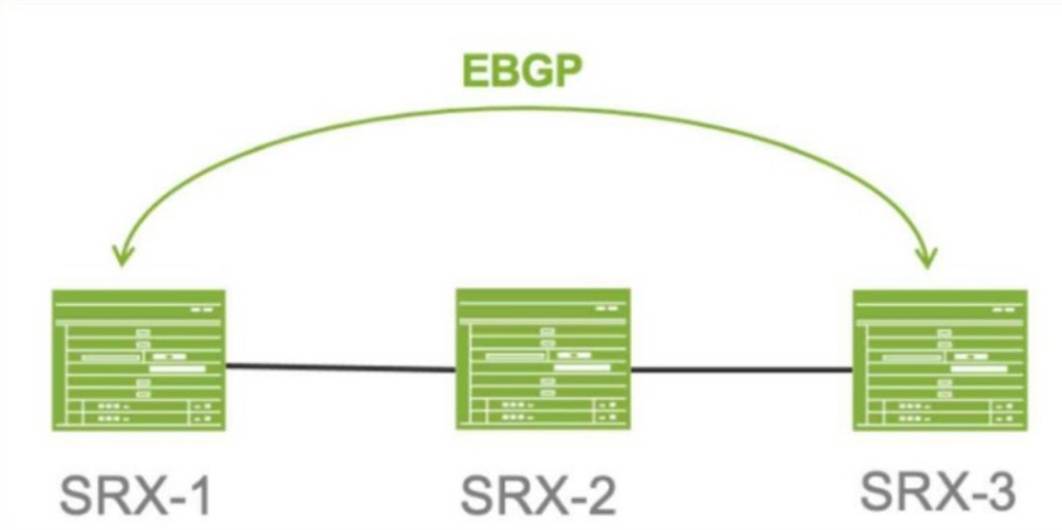
Referring to the exhibit. SRX-1 and SRX-3 have to be connected using EBGP. The BGP configuration on SRX-1 and SRX-3 is verified and correct.
Which configuration on SRX-2 would establish an EBGP connection successfully between SRX-1 and SRX-3?
Correct Answer:
D
Comprehensive Detailed Step-by-Step Explanation with All Juniper Security References
Understanding the Scenario:
✑ SRX-1 and SRX-3:
✑ Issue:
Option D: The security policy to allow SRX-1 and SRX-3 to communicate on TCP port 179 should be configured.
✑ Explanation:
Reference:
"Security policies must permit BGP traffic (TCP port 179) to allow BGP sessions through the SRX device."
Source: Juniper TechLibrary - Configuring Security Policies for Transit Traffic
Why Other Options Are Incorrect:
Option A: Host-inbound-traffic affects traffic destined to SRX-2, not transit traffic.
Option B and C: TCP ports 79 and 169 are unrelated to BGP.
Conclusion:
The correct option is D, configuring a security policy to allow TCP port 179.
Referring to the exhibit,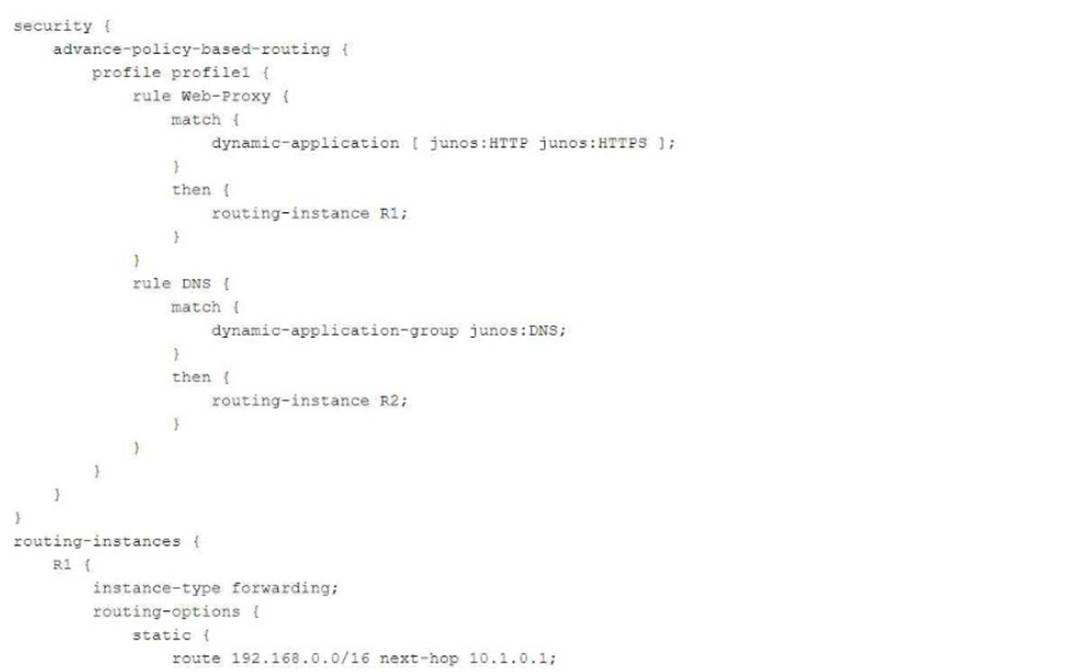
which statement about TLS 1.2 traffic is correct?
Correct Answer:
A
You need to generate a certificate for a PKI-based site-to-site VPN. The peer is expecting to
user your domain name vpn.juniper.net.
Which two configuration elements are required when you generate your certificate request? (Chose two,)
Correct Answer:
BD
You configured two SRX series devices in an active/passive multimode HA setup. In this scenario, which statement is correct?
Correct Answer:
D
Referring to the exhibit,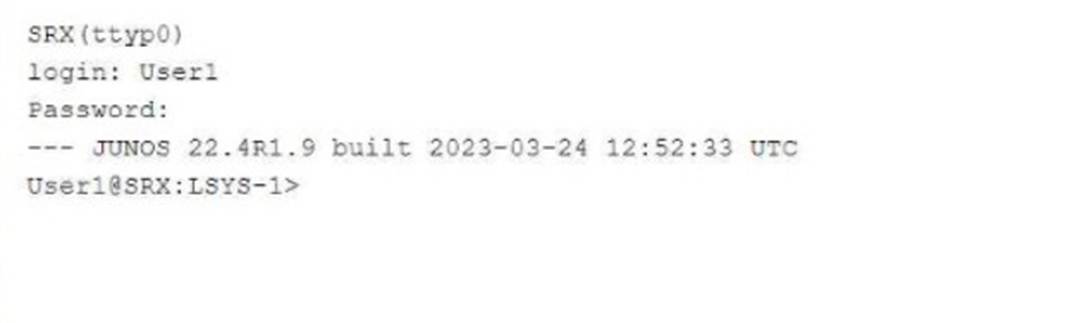
which two statements about User1 are true? (Choose two.)
Correct Answer:
AB
In this configuration, User1 is logged into logical system LSYS-1, which restricts access and visibility to that particular system. This ensures isolation between logical systems on the same physical device. Only a system administrator can assign additional permissions. For more details, see Juniper Logical Systems Guide.
From the exhibit, we see that User1 is logged into logical system LSYS-1:
✑ Access to Assigned Logical System (Answer A): User1, being logged into the logical system LSYS-1, only has access to the configuration and interfaces within that logical system. This is a key feature of logical systems in Junos, ensuring users are restricted to their respective environments.
✑ Logged into LSYS-1 (Answer B): The prompt shows that User1 is currently operating in LSYS-1, as indicated by the User1@SRX:LSYS-1> command line.
: Juniper logical systems configuration and user permissions.
==========